

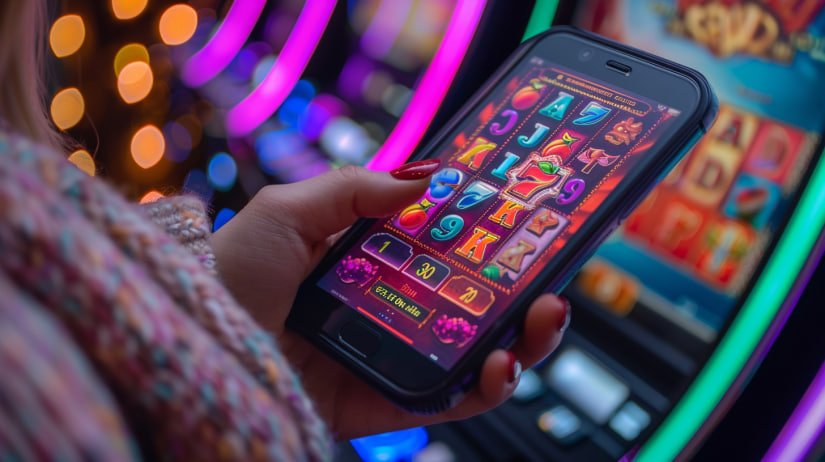
Mobile App Now Available

Bdt9999 App — Bangladesh's Best Betting Experience on Android & iOS, Right in Your Hands

Whether you're at home or on the go, the bdt9999 app gives you uninterrupted access to betting, Live Casino, and slots — all from a single smartphone.

100% Secure 3G/4G Support Bangla Interface
bdt9999
5★
User Rating
200,000+
Active Installs
1 Second
Average Load Time
24/7
App Support
Android
iOS / iPhone
Browser PWA
Tablet
Android App
Android 6.0 or above
  • Install Directly from Your Browser
  • APK Download Option
  • Add to Home Screen
  • Push Notifications Enabled
  • Offline Mode Support
Get Started on Android
iPhone / iOS App
iOS 13.0 or above
  • Add to Home Screen via Safari
  • Native App-Like Experience
  • Touch ID Support
  • Full-Screen Mode
  • Notification Support
Get Started on iOS
bdt9999

How to Install the bdt9999 App

Android Users
1
Open Chrome Browser

Open Chrome on your Android phone and search for bdt9999.vu.

2
Select Install from the menu

Click the three-dot menu at the top right of your browser. You'll see an "Add to Home Screen" or "Install App" option.

3
Add to Home Screen

Tap Confirm and the bdt9999 icon will be added to your home screen instantly.

4
Log In & Get Started

Tap the icon, log in or create a new account — then start betting.

iPhone / iOS Users
1
Open Safari Browser

Open Safari on your iPhone and go to bdt9999.vu. Make sure to use Safari — not Chrome or Firefox.

2
Tap the Share Button

Tap the Share icon (box with an upward arrow) in the bottom toolbar.

3
Select "Add to Home Screen"

From the Share menu, find and tap the "Add to Home Screen" option.

4
Tap Add to finish

Tap "Add" in the top right. The bdt9999 icon will be added to your home screen.

bdt9999

Bdt9999 App — Why It's the Top Choice in Bangladesh

Smartphone users in Bangladesh now number in the tens of millions. Most people in the country access the internet on mobile — from social media and banking to news and entertainment. bdt9999 understands that reality, and the app is built with Bangladeshi smartphone users in mind.

The bdt9999 app delivers a much smoother experience than a regular website. Pages load faster, navigation is easier, and there are no lags or freezes during betting or gaming. The app performs well even on a 3G connection, which is especially useful for users in rural areas of Bangladesh.

PWA Technology — All the Benefits of an App, None of the Installation Hassle

Bdt9999 uses Progressive Web App (PWA) technology, which means you never need to visit an App Store or Play Store. Install it directly from your browser and use it just like a native app. It also takes up less storage on your phone, and updates happen automatically — no extra steps required.

One of the greatest strengths of PWA technology is that it works on any device. Whether you have a Samsung Galaxy, an older Symphony, any other Android phone, an iPhone, an iPad, or even a Windows laptop, you get the same seamless experience across all of them.

Tips: To use bdt9999 on iPhone, you must use Safari. The "Add to Home Screen" option is not available in Chrome or Firefox.

Live Notifications — Never Miss a Bet

Once you install the bdt9999 app, you can enable push notifications to stay on top of everything. Get alerts before your favorite matches kick off, be the first to know about bonus offers, and receive confirmation notifications when a withdrawal is complete. Even with your phone in your pocket, you won't miss a thing.

What's Inside the App

The bdt9999 app gives you access to every feature available on the website — and in some areas, an even better experience. Sports Betting, Live Casino, slots, mobile banking deposits, withdrawals — everything is available right from the app.

  • Live Sports Betting — cricket, football, tennis, Esports & 30+ more sports
  • Live Casino — Baccarat, Roulette & Blackjack with HD Streaming
  • 500+ Slots — Mobile-Optimized Graphics
  • Mobile Banking Deposits & Withdrawals
  • Real-Time Odds Updates & Live Scores
  • Account Management & Bonus Tracking

Data-Saving Design

With mobile data costs in mind, the rdt9999 app runs in a data-saving mode. Unnecessary animations are stripped out so the focus stays on core functionality. Even with just 200 MB of data, you can enjoy several hours of live betting.

Security & Privacy

The bdt9999 app is secured with SSL encryption and two-factor authentication. Your login credentials, personal data, and financial transactions are fully encrypted at all times. If your phone is ever lost, you can remotely log out of your session from any other device.
App Specifications

Features Android IOS / Safari PWA
Minimum OS Version Android 6.0+ IOS 13.0+
Storage Required Just 5 MB Just 3 MB
Installation Method Chrome → Add to Home Screen Safari → Add to Home Screen
Push Notifications Full Support Supported on iOS 16.4+
Offline Mode Partial Support Partial Support
Full-Screen Mode Full Support Full Support
Live Betting Full Support Full Support
Payment Options All Methods Available All Methods Available
bdt9999

Things to Keep in Mind for Mobile Betting

Using the bdt9999 app is easy — but responsible use matters just as much. With betting just a tap away on your mobile, it can sometimes be hard to stay in control. Set a daily budget for yourself and stick to it.

Use a strong password to keep your app login secure, and enable two-factor authentication (2FA) if possible. Log out of your session if someone else uses your phone. It's best to avoid using the app on unfamiliar Wi-Fi networks.

For new users, the best approach is to start with small bets for the first few days, get a feel for the platform, and then gradually increase your activity. The bdt9999 customer support team is always on hand to help with any questions.

How does the app update?

One of the biggest advantages of the PWA app is that there are no manual updates to worry about. Whenever bdt9999 introduces new features or improvements, the app updates automatically the next time you open it — no trips to the Play Store or App Store, no notifications, just a silent update in the background.

Top Features of the bdt9999 App

Ultra-Fast Loading

App loads in just 1 second. Seamless experience even on slow connections.

Smart Notifications

Instant updates on match kicks-off, goals, wickets, and bonus offers delivered straight to your phone.

Dark Mode

Dark theme is on by default for a comfortable viewing experience. No more eye strain during late-night betting sessions.

Biometric Login

Log in quickly and securely using your fingerprint or face unlock — no password typing needed.

Offline Content

Even without an internet connection, you can still view previous match results and your account information.

Full Bangla Support

Fully Bangla interface. Everything from the menu to bonus details is available in Bangla.

End-to-End Encryption

Every transaction and piece of personal data is fully encrypted and protected from third parties.

Any Screen Size

Perfect layout on every screen from 320px to 2560px. Works just as well on tablets.

App FAQs

No. bdt9999 is a PWA (Progressive Web App), so there's no need to go through the Play Store or App Store. Simply visit the site from your mobile browser and use the "Add to Home Screen" option to install it.

Open bdt9999.vu in Safari on your iPhone. Tap the Share icon in the bottom toolbar, select "Add to Home Screen", then tap "Add". After that, you can launch it like an app straight from your home screen.

Yes, the bdt9999 app works reasonably well on a 3G connection. That said, for Live Betting and Live Casino streaming, a 4G or solid Wi-Fi connection will give you a much smoother experience.

Yes, you can deposit directly through the bdt9999 app via mobile banking, bank card, or e-wallet. Withdrawals are also handled within the app and typically complete within 5 to 15 minutes.

You don't need to do anything. The bdt9999 PWA updates automatically. The next time you open the app, the latest version loads right away — no need to hunt for updates on the Play Store or App Store.
বাংলা